Home Apps Tools Aviation Tool
Aviation Tool

Aviation Tool Rate : 4.2

  • Category : Tools
  • Version : 4.30
  • Size : 1.82M
  • Developer : Steve Dexter
  • Update : Dec 31,2024
Download
Application Description

Aviation Tool: Your All-in-One Flight Companion

Aviation Tool is the perfect app for pilots and aviation enthusiasts of all levels. This compact yet powerful application streamlines flight planning and execution, offering a suite of tools designed to increase efficiency and safety.

Key Features of Aviation Tool:

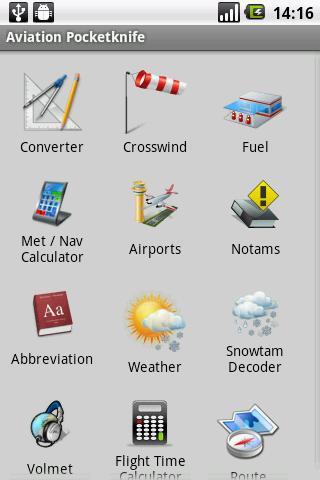
  • Unit Converter: Effortlessly convert between crucial aviation units, including distance, weight, and temperature.

  • Fuel Calculator: Accurately calculate required extra fuel, ensuring sufficient reserves for unexpected situations or route changes.

  • Crosswind Calculator: Precisely determine crosswind components for safer and more precise landings.

  • Meteorological Calculator (Met Calculator): Perform essential meteorological calculations, encompassing minimum usable flight level, deviations from ISA (International Standard Atmosphere), density altitude, and relative humidity.

  • Navigation Calculator: Execute diverse navigation calculations, including wind direction/speed, heading, groundspeed, wind correction angle, course, and non-precision approach calculations.

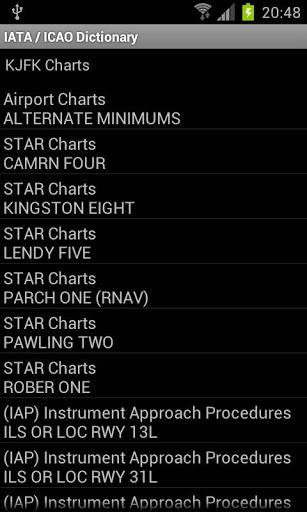
  • Comprehensive Airport Information: Access detailed airport data, including weather updates, Google Maps location (requires IATA/ICAO dictionary), NOTAMs, NOAA weather queries, snowtam decoding, aviation abbreviations, and Volmet frequencies for Europe and North Africa.

In Conclusion:

Aviation Tool provides pilots and aviation enthusiasts with a comprehensive toolkit for essential calculations, conversions, and vital airport information access. Its intuitive design and extensive features make it an indispensable asset for safe and efficient flights. Download Aviation Tool today and elevate your aviation experience.
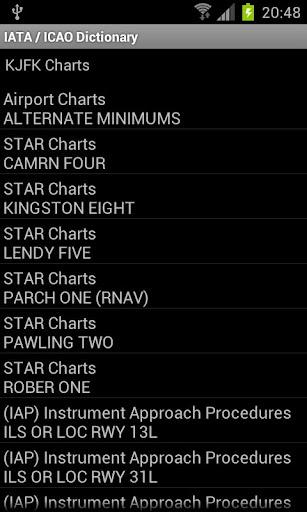
Screenshot
Aviation Tool Screenshot 0
Aviation Tool Screenshot 1
Aviation Tool Screenshot 2
Aviation Tool Screenshot 3
Latest Articles More
  • Top Sleep Spots in Kingdom Come Deliverance 2

    Sleep plays a vital role in Kingdom Come: Deliverance 2, providing full health recovery without relying on excessive food or potions. Discover the best places to rest in this guide.Table of ContentsSecuring a Bed in Kingdom Come Deliverance 2Survival

    Jan 16,2026
  • Dynasty Warriors: Origins Aims for Overwhelming Challenge

    The waves of enemies in Dynasty Warriors: Origins are more challenging this time because producer Tomohiko Sho instructed the development team to "Go and kill the player." Keep reading to learn more about the latest changes in this new installment of

    Jan 16,2026
  • As Far as the Eye Arrives on iOS, Android Next

    Bringing roguelike strategy gameplay directly to mobile devicesGuide your Tribe toward the mystical Eye while avoiding an approaching cataclysmGradually enhance collective knowledge and individual capabilities through difficult decisionsRegular reade

    Jan 15,2026
  • TOEM: A Photo Adventure Android Early Access, iOS Soon

    Toem: A Photo Adventure is now available in early access for Android.A later iOS release is planned, featuring perspective-shifting puzzles.Play as an aspiring photographer on a journey to a mountain to witness the mysterious Toem.Perspective is ever

    Jan 15,2026
  • RuneScape Dragonwilds Interactive Map Released

    IGN's RuneScape: Dragonwilds map is now live! Our detailed interactive map pinpoints all key locations in Ashenfall, including Primary and Secondary Quests (Side Quests), recipes for Masterwork gear like the Staff of Light, and vital resources such a

    Jan 15,2026
  • Ex-BioThe Developer Exclaims EA Loses Interest to Dragon Age Team

    Former Dragon Age executive producer Mark Darrah has stated that he believes EA and BioWare failed to provide adequate support to his team in the early stages of developing Dragon Age: The Veilguard.The veteran developer shared insights into his work

    Jan 15,2026