

The IBM Maximo Transfers Receipts app is an essential tool designed to enhance your inventory management and tracking capabilities. This app is fully compatible with IBM Maximo Anywhere 7.6.4.x and later versions, enabling seamless integration into your existing systems. It facilitates the easy transfer of inventory items or tools between storerooms within the same site or across different sites and organizations. With this app, you can efficiently track the delivery of these items and generate shipment receipt records to document their receipt. Moreover, the app allows you to monitor the balance of received items, adjust totals and status in inventory usage records, and set specific inspection requirements for received items. Its ability to void shipment receipt records and facilitate returns when necessary makes it a robust solution for efficient inventory management. Before you begin, it's advisable to reach out to your IBM Maximo Anywhere administrator for optimal setup and guidance. Click now to download the IBM Maximo Transfers Receipts app and revolutionize your inventory management processes.
Features of the IBM Maximo Transfers Receipts App:
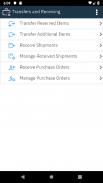
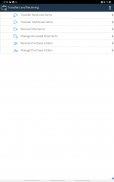
Inventory Maintenance and Tracking: The app offers a streamlined service for maintaining and tracking your inventory items or tools. It simplifies the process of transferring these items between storerooms, whether within the same site or across different sites and organizations, ensuring efficient management of your resources.
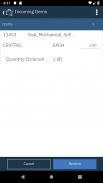
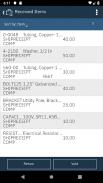
Shipment Receipt Logging: With this feature, you can create shipment receipt records to document the receipt of transferred inventory items. This functionality is crucial for maintaining an accurate record of delivered items and monitoring their movement throughout the organization.
Monitoring and Adjusting Inventory: The app enables you to keep a close eye on the balance of received items and make necessary adjustments to the totals and status in your inventory usage records. This feature ensures that your inventory records remain accurate and up-to-date.
Inspection Requirements: You can specify whether an inspection is required upon receiving inventory items. Additionally, you can set the inspection status for shipment receipt records, ensuring that all items are checked according to your organization's protocols before they are accepted into inventory.
Voiding and Returning Shipment Receipts: Should the need arise, you can void shipment receipt records. The app also supports the return of items, providing a flexible way to manage and correct any issues or discrepancies with received shipments.
Compatibility and Administrator Support: The IBM Maximo Transfers Receipts app is designed to work seamlessly with IBM Maximo Anywhere 7.6.4.x and subsequent versions, as well as those available through the IBM Maximo Application Suite. For the best experience, it is recommended that you consult with your IBM Maximo Anywhere administrator before using the app to ensure proper setup and guidance.
Conclusion:
The IBM Maximo Transfers Receipts App stands out as a comprehensive solution for inventory maintenance and tracking. With its user-friendly interface, it simplifies the process of transferring items between storerooms, logging receipt records, monitoring inventory balances, and enforcing inspection protocols. The flexibility to void and return shipments adds an extra layer of control, allowing for swift resolution of any discrepancies or issues. Its compatibility with IBM Maximo Anywhere, along with the support of an administrator, ensures a smooth and effective user experience. Download the app today to streamline and enhance your inventory management processes.











![熊本のHairSalon YELLOW[ヘアサロンイエロー]](https://imgs.dgmma.com/uploads/78/173155007867355b7e469e0.webp)




















