Features of this App:
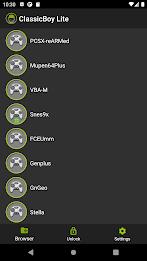
Multiple Emulation Cores: Classicboy boasts eight emulation cores, enabling you to enjoy a broad spectrum of retro video games on your Android device. These cores include popular ones like PCSX-ReARMed, Mupen64Plus, VBA-M/mGBA, Snes9x, FCEUmm, Genplus, FBA, and Stella.
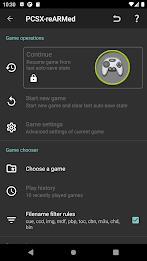
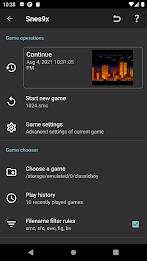
Free Version Features: The free version of Classicboy is loaded with exciting features. Jump right into gaming, resume game states from battery-sram files, and navigate with on-screen 2D buttons optimized for touchscreen input. Personalize your experience with the graphic buttons editor, which lets you adjust position, size, style, scale, animation, and opacity. Connect external gamepads or keyboards for seamless multiplayer support and switch between digital and analog D-pad anytime. Enjoy controller profiles, custom game audio/video settings, game data export/import capabilities, and a game cheats function to enhance your gameplay.
Premium Version Features: Upgrade to the premium version of Classicboy for an enriched experience. It includes all features from the free version, plus the ability to resume game states from auto-saves and slots-saves. Additionally, explore new ways to play with the gesture controller and sensor controller.
Permissions: Classicboy requires certain permissions to optimize your gaming experience. It may need access to external storage to locate and read games via the native files manager. Optional vibration permission enhances game controller feedback, and the app may adjust audio settings to support audio reverb. Classicboy also supports Bluetooth for connecting wireless game controllers.
Data Privacy & Security: Classicboy places a high value on your data privacy and security. It requests external storage write/read permission below Android 10 solely for accessing game data and app settings, ensuring your personal information, including photos and media files, remains untouched.
Conclusion:
Classicboy is a feature-rich video game emulator for Android devices, perfect for reliving the nostalgia of retro gaming. With its multiple emulation cores, you can explore a diverse range of classic games. The free version offers a host of exciting features, including customizable on-screen buttons, multiplayer support, and game cheats. The premium version enhances the experience with additional features like auto-saves, gesture controls, and sensor controls. Classicboy is committed to your data privacy and security, ensuring your personal information stays safe. Download Classicboy now and start your nostalgic gaming journey.