Discover the easiest way to control your Smart TV using your smartphone with the top-rated TV remote control app for Roku and Universal TV Remote Control, which supports both WiFi and IR functionalities. Universal Remote Control For TV is designed to meet all your remote control needs, making it the perfect solution if you're looking for a versatile and efficient way to manage your TV viewing experience.
The **Remote control for Roku and all TV** app stands out as one of the best options for controlling all your smart TVs. With the Universal TV Remote Control, you can seamlessly access your TV using either WiFi or IR. This comprehensive app supports nearly all TV brands and offers all the functionalities you need to control your TV effectively. It's an excellent **TV Remote app** that you can rely on to monitor and manage your smart television effortlessly.
To connect your mobile device to your TV, ensure your phone has an IR sensor or is connected to a WiFi network. Both your mobile and TV must be on the same network for WiFi connectivity. If your phone supports IR, you can use the **universal remote control for all TV** to send signals directly to your TV, just like a traditional remote.
Don't worry if your original remote is lost or malfunctioning; you can now control your smart TV directly from your smartphone. This **universal TV remote control for any TV** is compatible with all TV brands across every country, allowing you to enjoy your favorite channels, adjust volume, and more with ease.
**Main TV Brands Supported by Universal Remote control for all TV:**
✔️ Smart TV remote for Samsung TV
✔️ Remote for Sony TV
✔️ TV remote for LG TV
✔️ Universal TV remote for Philips TV
✔️ TV Remote for TCL TV
✔️ Smart TV remote for Gree TV
✔️ Universal TV remote for Kenwood
✔️ TV remote for Panasonic
✔️ smart tv remote for Tcl Roku tv
✔️ Remote for Haier Tv
✔️ TV remote for Xiaomi TV
✔️ Remote control for EcoStar TV
✔️ TV remote for Toshiba
✔️ Smart TV remote for Orient TV and many more.
**How to Use Universal Smart TV Remote Control App:**
Install the TV remote control app on your smartphone.
Choose between WiFi or IR Mode based on your device's capabilities.
Search for your smart TV within the app.
Select your TV brand from the list provided.
Choose the remote that corresponds to your TV model.
Enter the code displayed on your TV into your phone.
Tap on 'Pair', and your remote is ready to use.
**Features of Universal Remote control for any TV:**
• Supports all TV brands with universal TV remote control.
• Enables easy control of your smart TV via WiFi and IR.
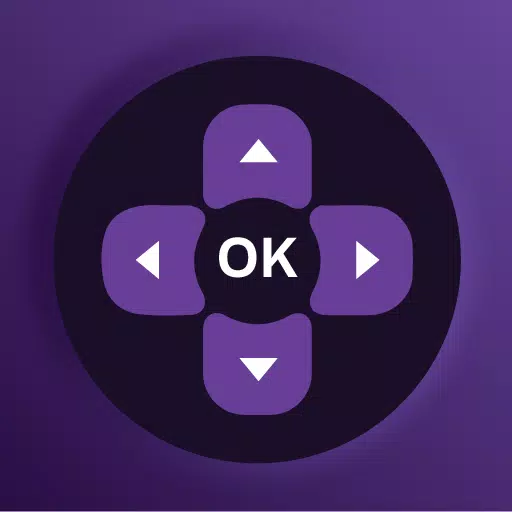
• Offers Up / Down / Left / Right navigation for seamless operation.
• Includes touchpad and keyboard functionality for enhanced usability.
• Allows easy control of volume and channel selection.
• Supports both IR and WiFi functionalities for versatile use.
• Features buttons for muting and unmuting the TV.
• Provides all essential remote control functions within the app.
• Boasts a beautiful design with a simple and user-friendly interface.
Using a single Universal remote control for TV to manage all your smart TVs is a convenient and efficient solution. As mobile phones are an indispensable part of our daily lives, installing a **smart remote control for TV** app on your device can significantly simplify your TV control experience.
**Important Notice with smart TV Remote:**
Your smartphone must have an IR feature or be connected to a WiFi network. If your phone lacks an IR sensor, ensure it's connected to the same WiFi network as your TV. If your TV brand isn't listed or the app doesn't work with your television, please contact us at [email protected] with your TV brand and remote model. We're committed to making this app compatible with as many TV brands as possible. Enjoy the Universal TV Remote For all TV.
What's New in the Latest Version 1.6.2
Last updated on Aug 15, 2024
- Provided solutions for Android TV connectivity issues in the universal remote and TV Remote control for all TV app.
- Reduced ads across all universal TV remote functionalities.
- Added support for Android in the smart TV remote control.
- Enhanced compatibility to support almost all smart TVs with the Universal TV Remote.
- Improved faster discovery of Android TVs and Samsung Smart TVs.
- Expanded support for all universal TV remote controls.
- Added more IR TV models to the app.
- Fixed crashes to ensure a smoother user experience.