AutoGuard, your intelligent dashboard companion, delivers an exceptional driving experience right on your smartphone.
Transform your phone into the ultimate driving assistant with AutoGuard, the premier blackbox application that elevates every journey.
Key Features
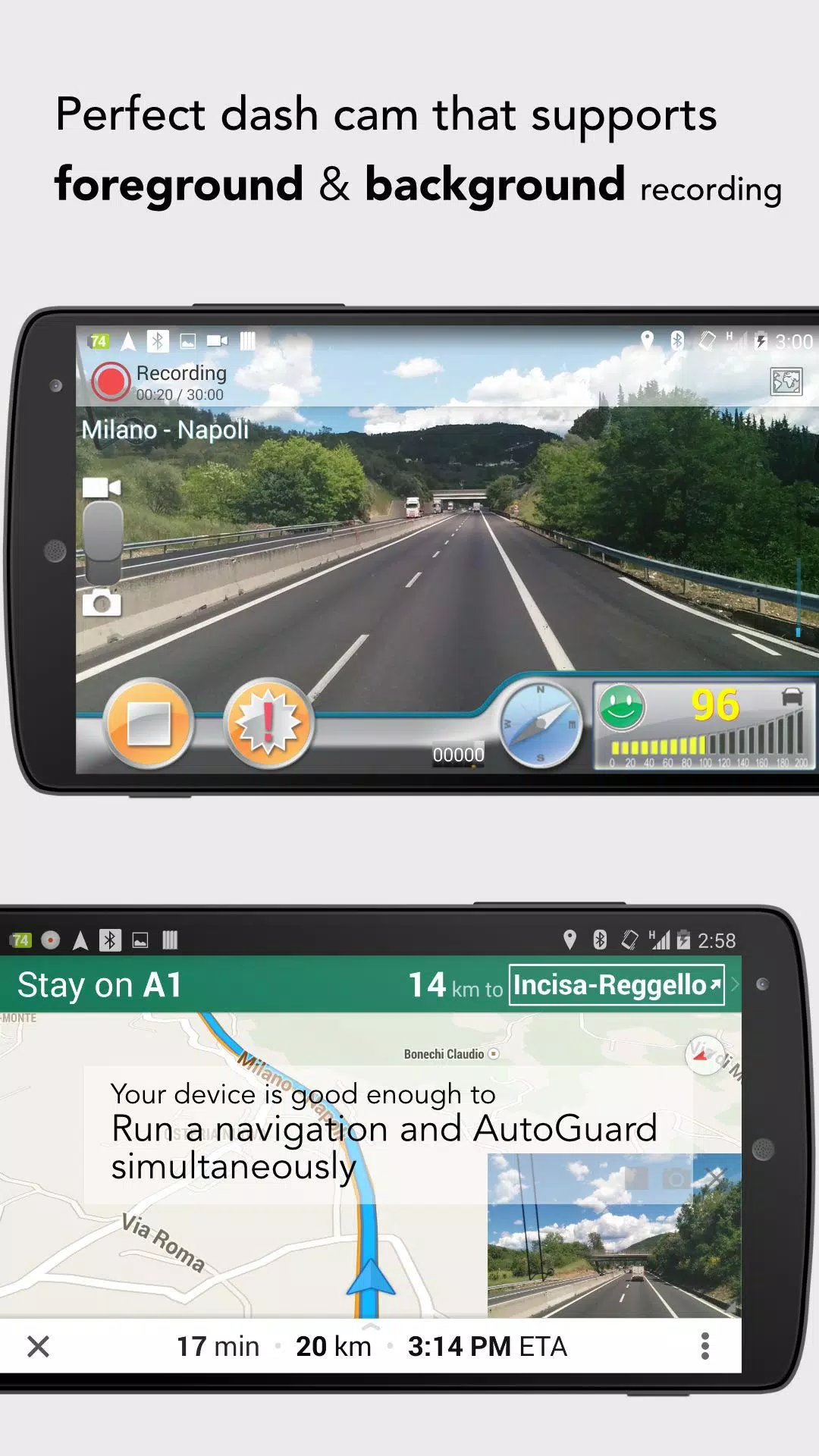
- Background recording (Pro): Seamlessly use other apps like navigation while recording
- YouTube integration: Upload videos complete with location and timestamp captions
- Smart photo capture: Automatically saves photos during critical moments
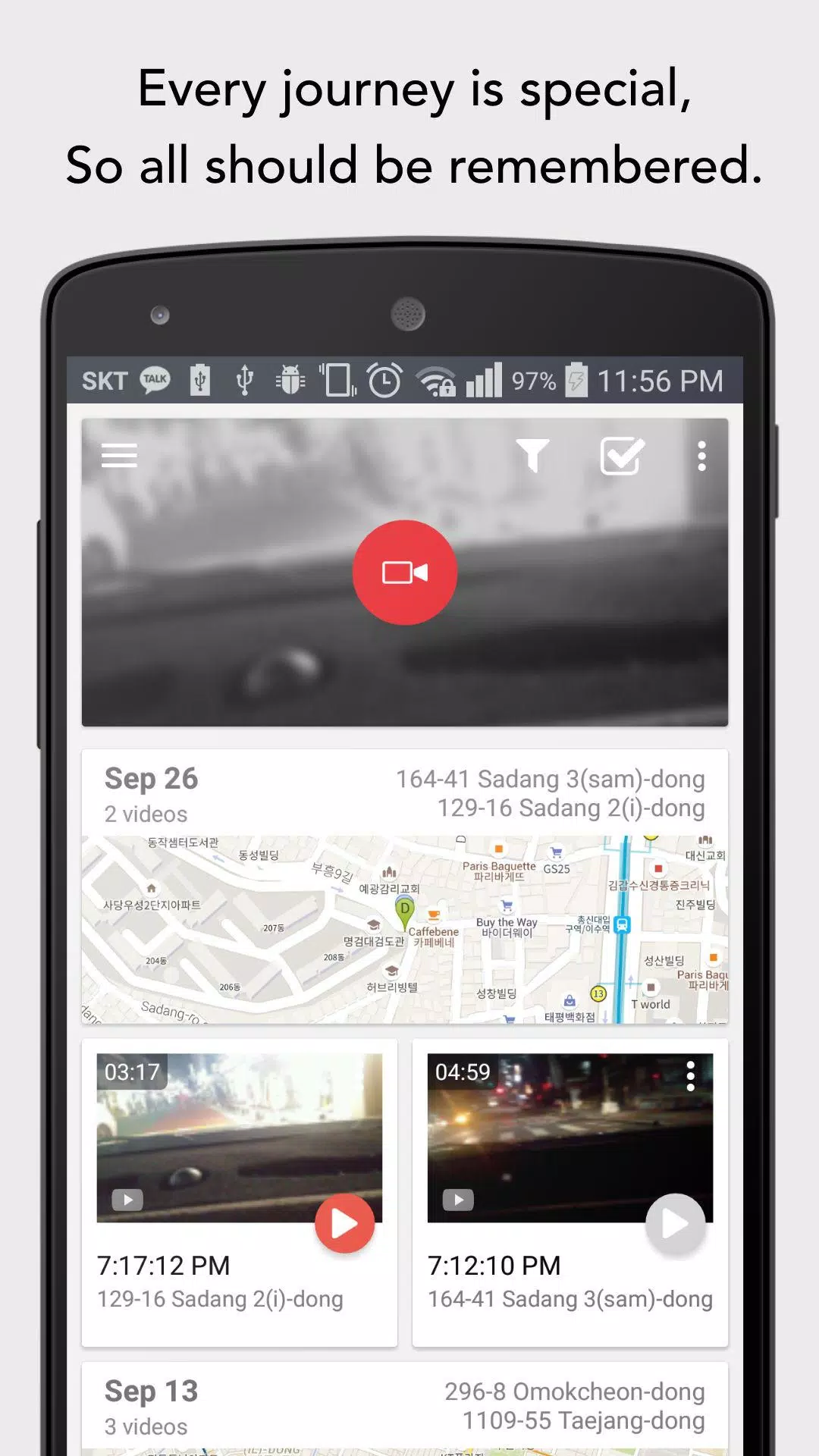
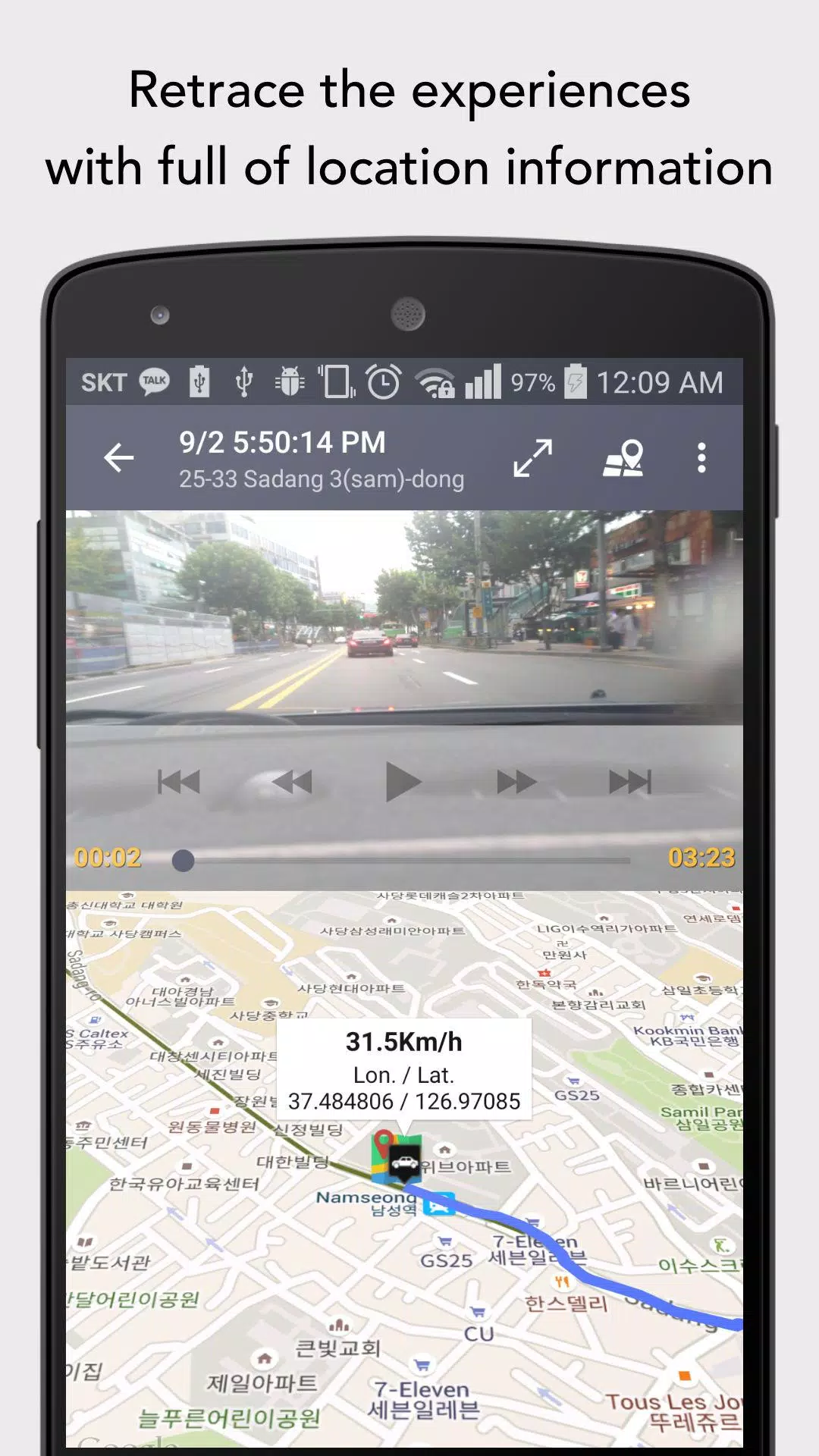
- Dual-screen display: View both video footage and map data simultaneously
- Automatic recording: Activates when connecting to Bluetooth devices (Post-Android 11 requires notification due to privacy policies)
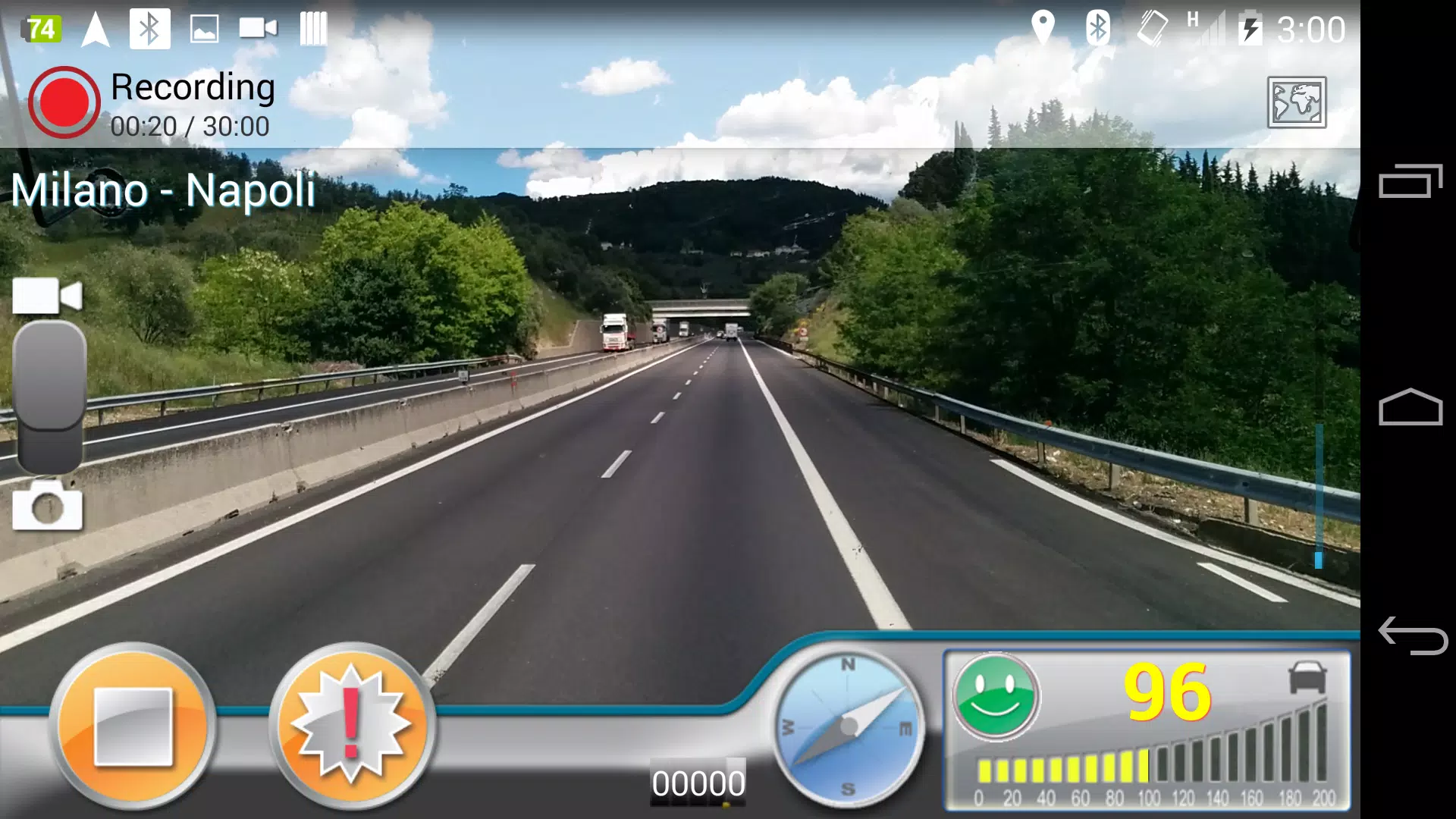
- Comprehensive recording: Captures driving video, speed data, GPS coordinates and nearest addresses
- High-quality footage: Supports multiple high-resolution options
- 3D route visualization: Displays your travel path on Google Maps
AutoGuard meticulously records video segments, acceleration data, precise coordinates, and speed measurements.
The app intelligently manages storage space by automatically deleting older recordings when capacity is reached, while preserving your marked important videos.
AutoGuard Pro offers enhanced automation:
- Wireless triggering via Bluetooth devices
- Uninterrupted background operation
- Customizable settings for resolution, bitrate, motion sensitivity and GPS refresh rate
With the Pro Version (AutoGuard Pro Unlocker), enjoy:
- Ad-free experience
- Direct YouTube synchronization
- Full multitasking capability with other apps like navigation or music players
Discover more valuable features at AutoGuard's official home:
http://feedback.hovans.com
Frequently Asked Question
Why does AutoGuard require contact permissions?
- To display Gmail accounts for YouTube uploads
- For referral verification purposes
AutoGuard only accesses your Gmail address and requires no additional personal information.
We welcome contributions from anyone interested in helping translate AutoGuard to more languages.
Thank you for choosing AutoGuard! =:)




![熊本のHairSalon YELLOW[ヘアサロンイエロー]](https://imgs.dgmma.com/uploads/78/173155007867355b7e469e0.webp)