
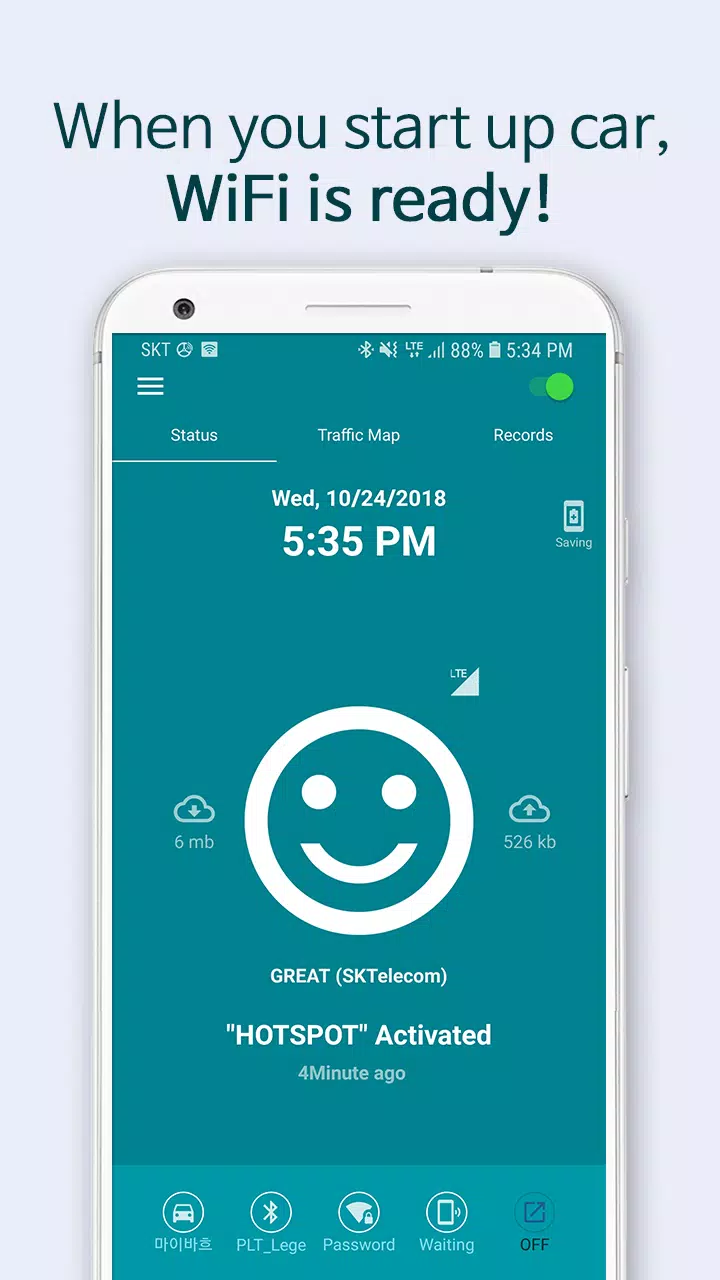
Simply have your smartphone ready. It will connect to WiFi automatically when you start your car.
Your easiest and smartest driving companion: Carspot Ready!
Just have your smartphone ready; it connects to WiFi as soon as you start the car. Carspot Ready is prepared and waiting for you in advance, so you can stay focused on the road.
Now, let’s explore what Carspot Ready does.
• Automatically activates WiFi when you start the car (using your smartphone's hotspot).
• Simultaneously launches your frequently used in-car apps.
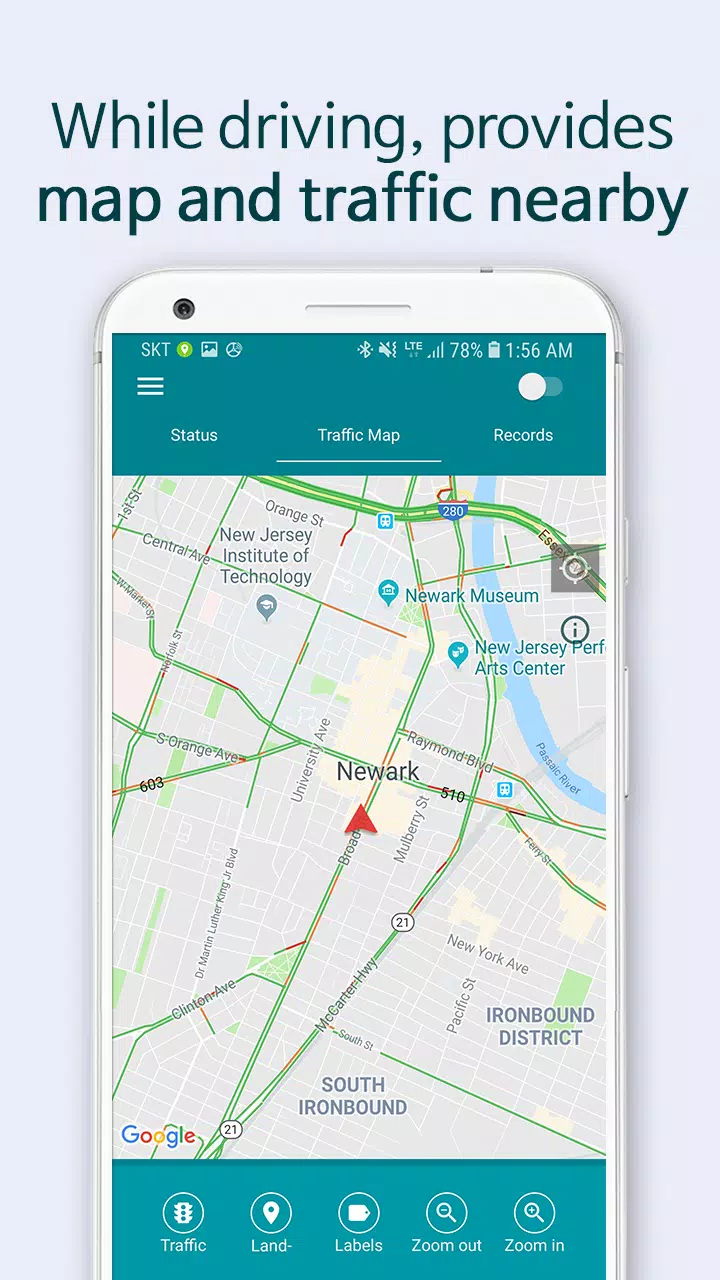
• Displays nearby maps and live traffic information while driving.
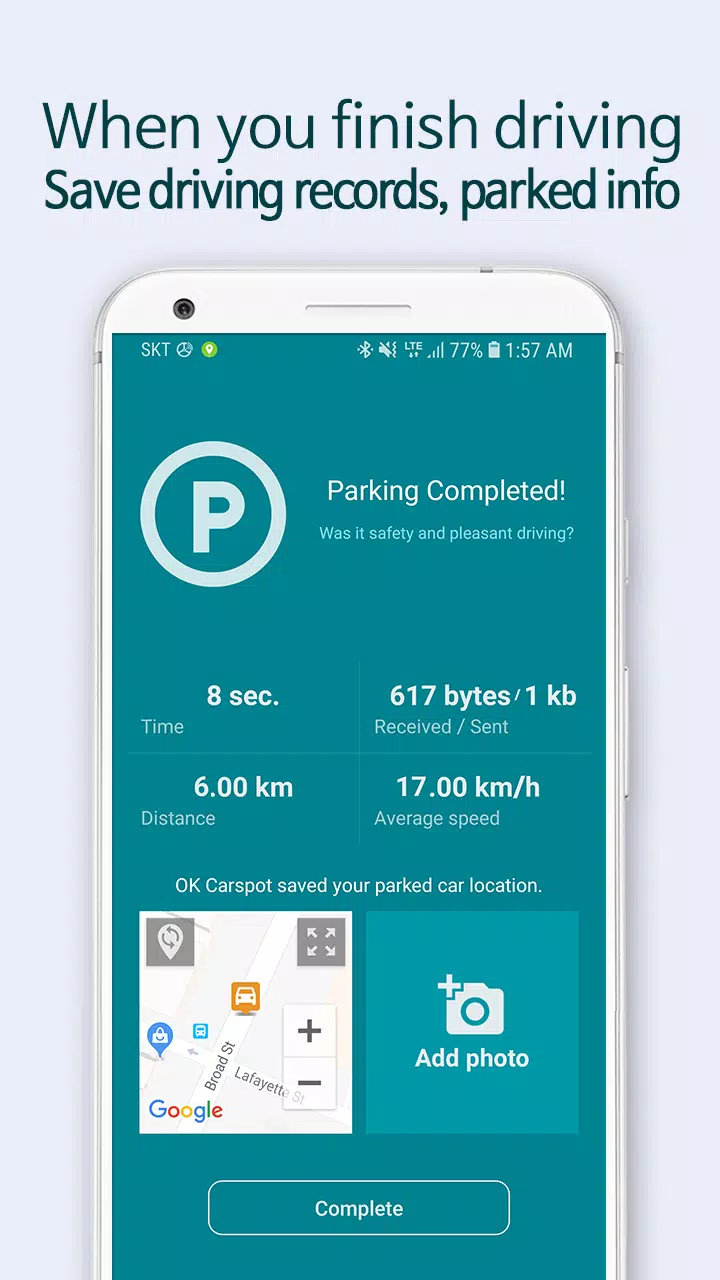
• Remembers your parking spot when you park.
• Saves your driving record (distance, time, route) when you exit the car.
So, what can you do with Carspot Ready?
• Connect all peripheral devices, like navigation systems, to the internet via WiFi.
• Automatically launch your favorite music, map, and radio apps without touching your phone.
• Connect smart devices (Android, iPhone, all-in-one) to your car's WiFi.
• Share your WiFi with passengers and family.
• Get real-time traffic updates and driving directions.
• View your mileage, driving patterns, time, and route history.
• Find where you parked your car.
Most importantly, Carspot Ready prepares everything before you even turn on your smartphone.
But how is this different from Android Auto and Apple CarPlay?
• Carspot Ready uses a HOTSPOT to share your smartphone's wireless internet connection.
• No specific car support is needed; any device can connect if you have a smartphone.
• No compatible apps are required; you can use all the apps available on your smartphone.
Which apps are supported for auto-launch?
• Maps: Google Maps, Waze, Transit, Sygic, and all GPS apps.
• Media: Google Music, Spotify, Samsung Music, YouTube, Apple Music, etc.
[Compatible Smartphones]
Requires an Android 5.0 or higher device with mobile internet.
Some smartphone models may require manual steps instead of full automation.
★ Want to remove ads?
Share this app and send us the link or a screenshot via email.
We'll send you an ad removal coupon.
• Email: [email protected]
Here is a guide to the app permissions used.
The following permissions are required for the app to function correctly.
□ Location: Used for recording driving data and parking locations for this device.
□ Background Location: Used to record driving history when the app is closed.
□ Storage: Used to save notification messages and user settings.
□ Camera: Used to capture and save parking location photos.
□ Phone: Used to monitor data usage while the hotspot is active on this device.
What's New in the Latest Version 2.3.9
Last updated on Aug 12, 2022
1. Fixed an issue with uploading parked car pictures.
2. Resolved a Bluetooth connection problem.









![熊本のHairSalon YELLOW[ヘアサロンイエロー]](https://imgs.dgmma.com/uploads/78/173155007867355b7e469e0.webp)