Optimize Your Fortnite PC Settings for Peak Performance
Fortnite's demanding nature can lead to frustrating low frame rates, hindering gameplay. However, optimizing your in-game settings can significantly improve performance. This guide details the best PC settings for a smoother, more enjoyable Fortnite experience.
Display Settings:
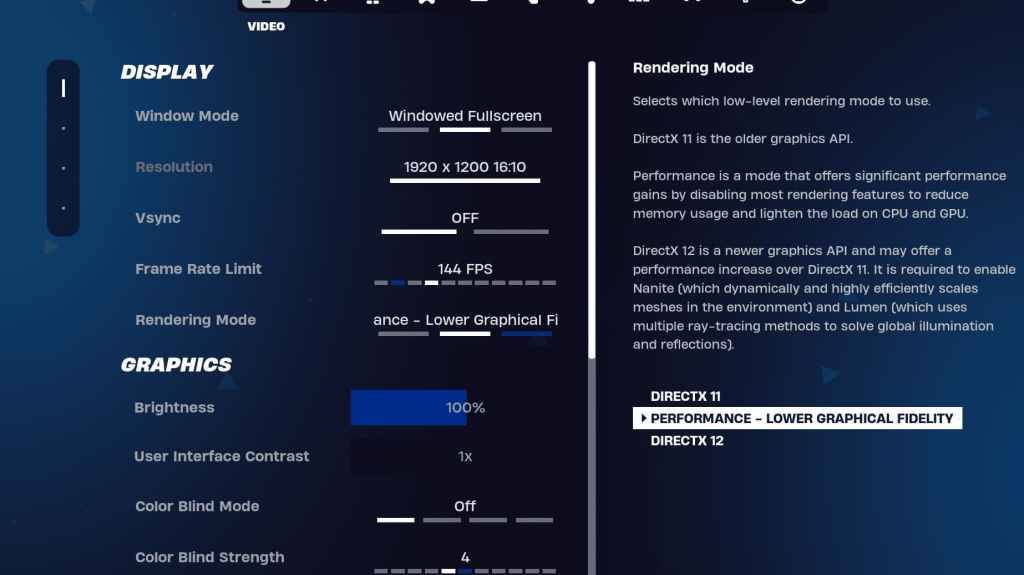
The Display and Graphics sections within Fortnite's video settings are crucial for performance. Here's the recommended Display configuration:
| Setting | Recommended |
|---|---|
| Window Mode | Fullscreen (best performance); Windowed Fullscreen (for frequent alt-tabbing) |
| Resolution | Native monitor resolution (e.g., 1920x1080); lower if necessary for low-end PCs |
| V-sync | Off (prevents input lag) |
| Framerate Limit | Monitor Refresh Rate (e.g., 144Hz, 240Hz) |
| Rendering Mode | Performance (highest FPS) |
Rendering Modes Explained:
Fortnite offers three rendering modes: Performance, DirectX 11, and DirectX 12. DirectX 11 is stable and performs well. DirectX 12 offers potential performance gains on newer systems with enhanced graphics options. However, for maximum FPS and minimal input lag, "Performance" mode is the preferred choice among professional players.
Graphics Settings:
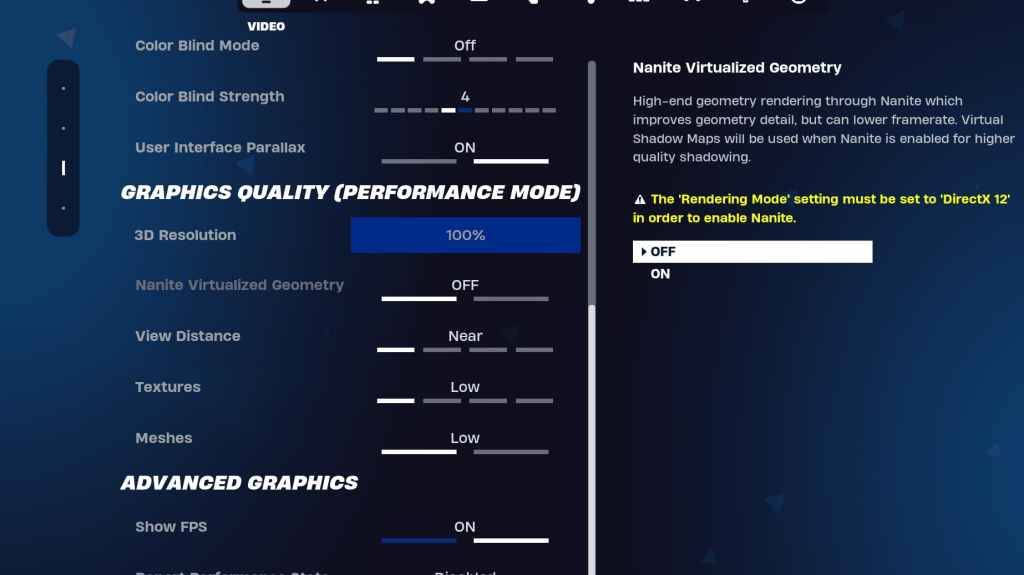
The Graphics settings directly impact visual quality and FPS. Prioritize minimizing resource usage for optimal frame rates:
| Setting | Recommended |
|---|---|
| Quality Preset | Low |
| Anti-Aliasing & Super Resolution | Off/Low |
| 3D Resolution | 100% (70-80% for low-end PCs) |
| Nanite Virtual Geometry (DX12) | Off |
| Shadows | Off |
| Global Illumination | Off |
| Reflections | Off |
| View Distance | Epic |
| Textures | Low |
| Effects | Low |
| Post Processing | Low |
| Hardware Ray Tracing | Off |
| Nvidia Low Latency Mode | On + Boost (Nvidia GPUs only) |
| Show FPS | On |
Game Settings:
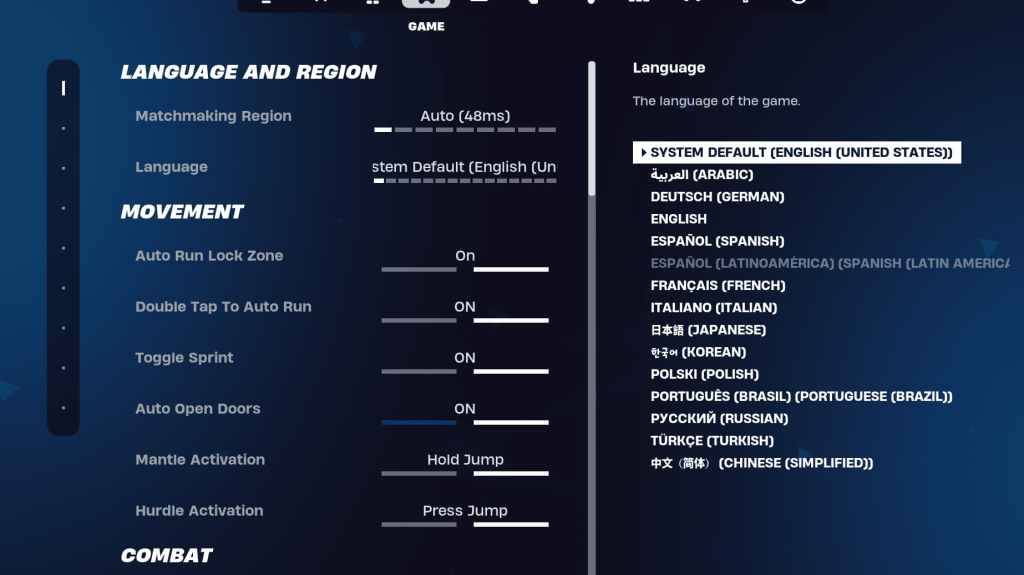
Game settings don't affect FPS but are crucial for gameplay. While many are preference-based, some are essential:
- Movement: Auto Open Doors: On; Double Tap to Auto Run: On (controllers)
- Combat: Hold to Swap Pickup: On; Toggle Targeting: Personal Preference; Auto Pickup Weapons: On
- Building: Reset Building Choice: Off; Disable Pre-edit Option: Off; Turbo Building: Off; Auto-Confirm Edits: Personal Preference; Simple Edit: Personal Preference; Tap to Simple Edit: On (if Simple Edit is on)
Audio Settings:
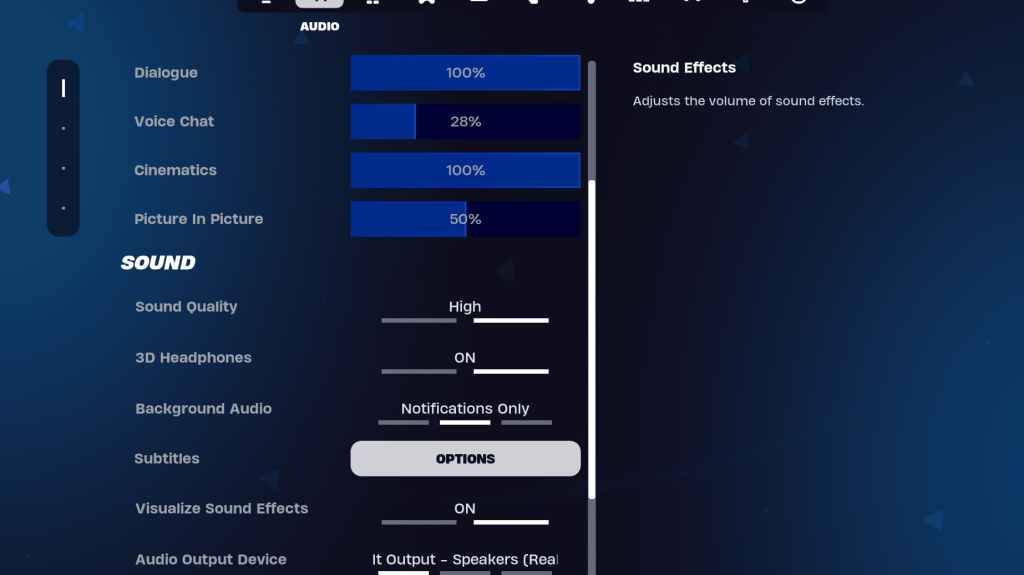
Clear audio is vital in Fortnite. Enable 3D Headphones (experiment for compatibility) and Visualize Sound Effects for enhanced spatial awareness.
Keyboard and Mouse Settings:
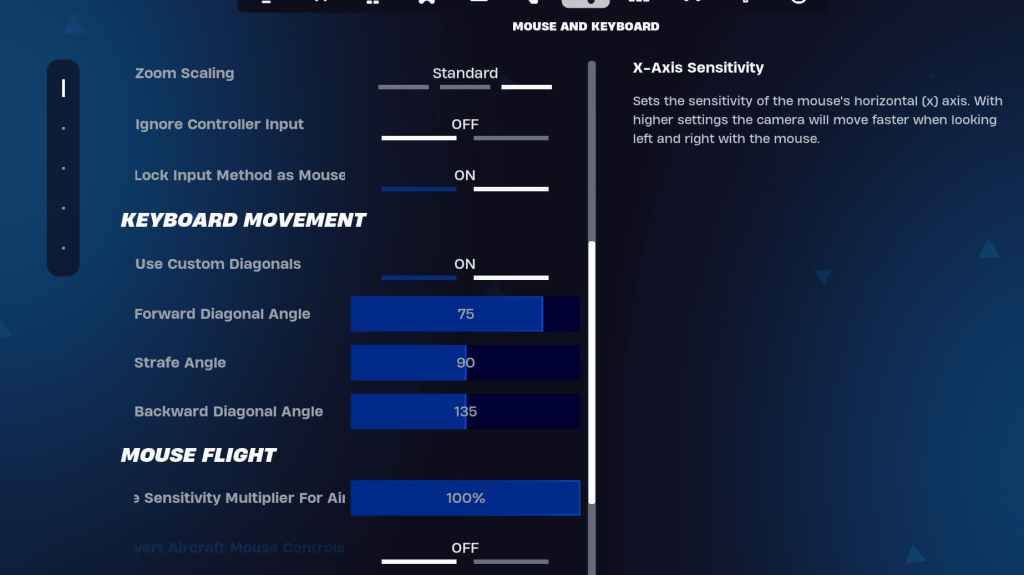
Configure sensitivity and keybinds in the Keyboard and Mouse and Keyboard Controls tabs. Adjust X/Y Sensitivity, Targeting Sensitivity (45-60%), Scope Sensitivity (45-60%), and Building/Editing Sensitivity to your preference. Consider using custom diagonals with adjusted angles for smoother movement. Keybinds are highly personal; experiment to find what works best for you.
By implementing these settings, you'll significantly improve your Fortnite performance and enjoy a more fluid gaming experience. Remember that some settings are subjective and may require experimentation to find your optimal configuration.