

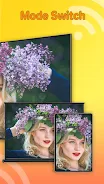
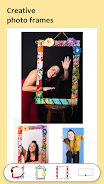
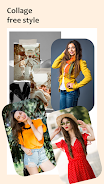
PicCollage Maker is an exceptional photo editing and collage-making app designed to transform your photos into stunning collages. This app streamlines the process, allowing users to effortlessly select multiple photos from their gallery and automatically remix them into a beautifully arranged collage. With a wide array of photo layouts to choose from, users can enhance their creations with an assortment of filters, text, backgrounds, stickers, and other creative elements. The app's versatility extends to allowing up to 10 photos per collage and the ability to change the background, adding a personalized touch to each creation. Additionally, users can dive into the world of memes with the app’s meme generator and easily share their masterpieces across various social media platforms. PicCollage Maker stands out as a convenient and user-friendly tool, perfect for anyone looking to create memorable photo collages.
The advantages of the PicCollage Maker Photo Layout App are numerous:
- User-Friendly Interface: The app's intuitive design makes it incredibly easy for users to create collages. Simply select photos from your gallery, and the app will automatically remix them into a cohesive collage.
- Advanced Photo Editing: PicCollage Maker offers a comprehensive suite of photo editing tools, including filters, text overlays, customizable backgrounds, a variety of stickers, and different fonts, enabling users to enhance their collages to perfection.
- Diverse Layout Options: With multiple photo layouts and grid options, users have the freedom to style their photos in various configurations, ensuring each collage is unique and tailored to their vision.
- Meme Creation and Sharing: The app's built-in meme generator allows users to craft humorous memes that can be easily shared on popular social media platforms such as WhatsApp, Facebook, and Instagram.
- Versatile Aspect Ratios: Users can choose from a range of multi-fit ratios designed for platforms like Facebook, Instagram, and Twitter, eliminating the need for cropping or resizing, ensuring your collages fit perfectly wherever you share them.
- Customizable Text Options: PicCollage Maker enables users to add text to their collages with customizable font sizes, colors, shadows, and spacing, allowing for expressive and personalized captions that reflect your mood and daily experiences.









![熊本のHairSalon YELLOW[ヘアサロンイエロー]](https://imgs.dgmma.com/uploads/78/173155007867355b7e469e0.webp)



















