
Compatible exclusively with Wacom One pen tablets CTC4110WL and CTC6110WL on Android versions 8 through 13.
Designed specifically for use with Wacom One pen tablets CTC4110WL and CTC6110WL on Android 8 to 13.
FOR ANDROID 8-13 ONLY:
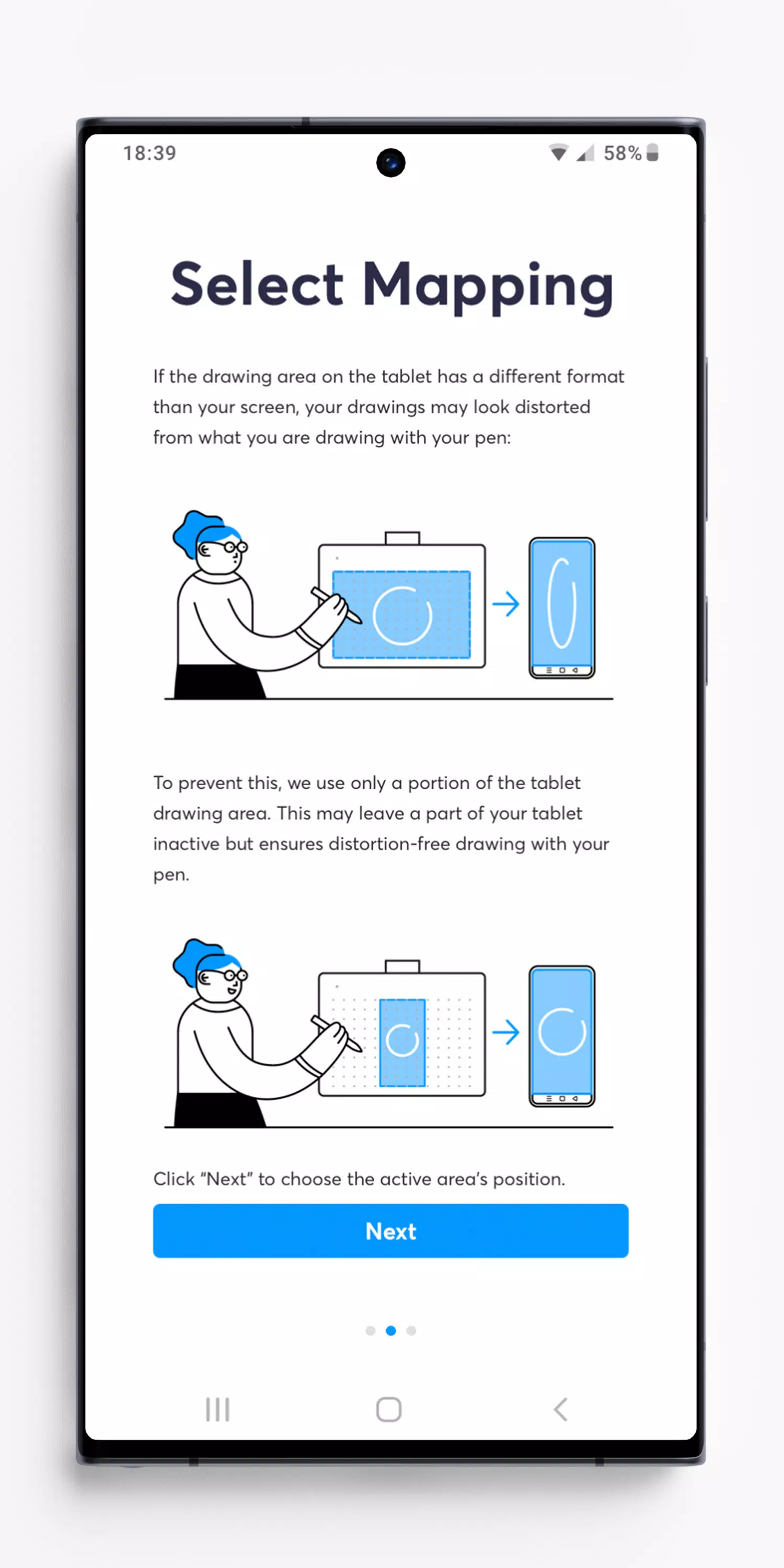
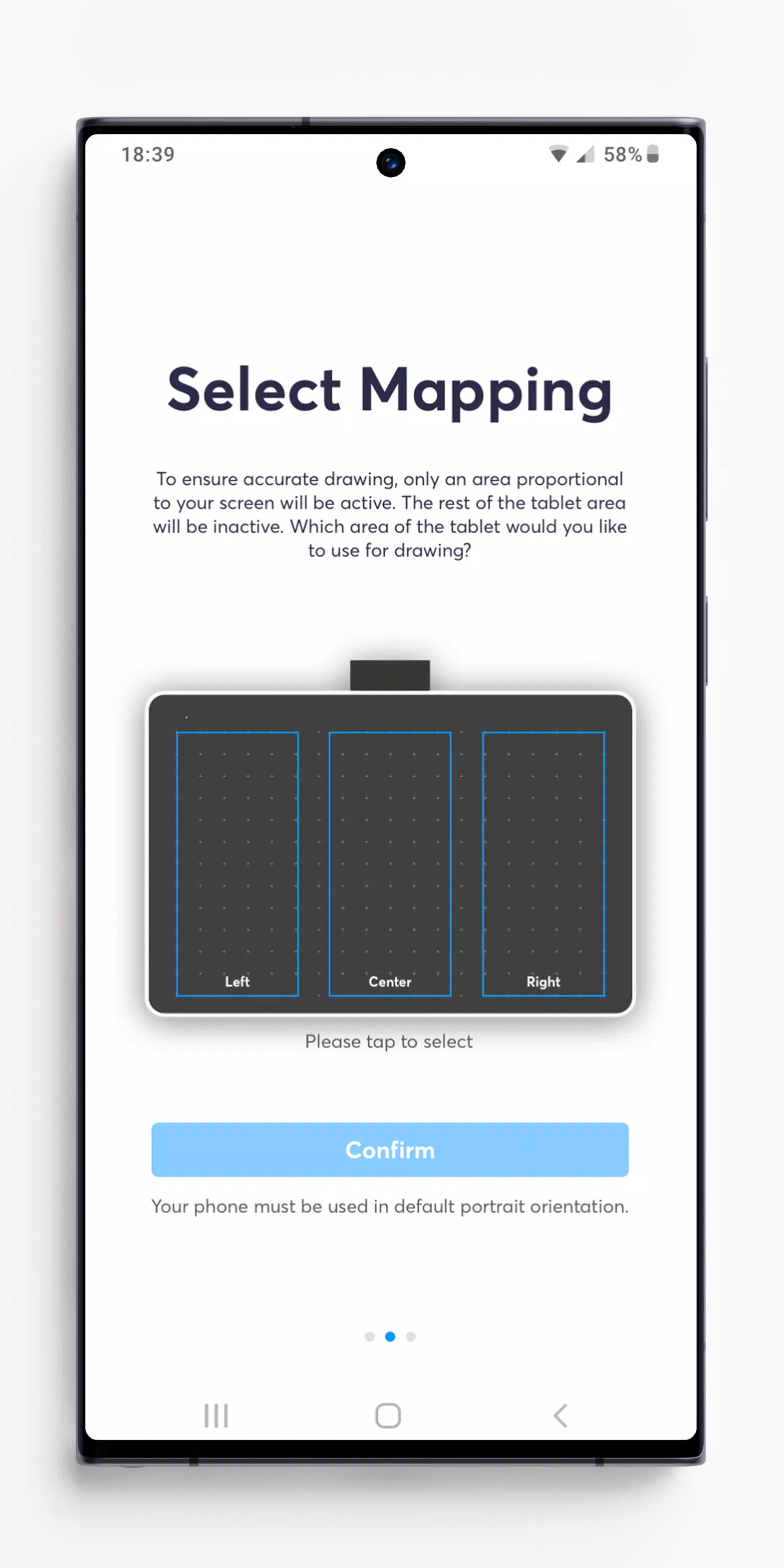
The screen of your Android device has a different aspect ratio than the drawing area of your Wacom One pen tablet. Without the Wacom Center app, the drawing displayed on screen may appear distorted compared to your pen strokes on the tablet.
The Wacom Center app calculates the precise size of the Wacom One drawing area required for distortion-free drawing and adjusts the active area accordingly. The remaining tablet surface becomes inactive. On most Android devices, you can select from three placement options for the drawing area.
You can now enjoy seamless drawing.
Note: Virtually all Android 8-13 devices must be used in portrait orientation when operating with a Wacom One pen tablet. Android 8-13 does not support pen tablet input in landscape orientation or Desktop mode.
FOR ANDROID 14 AND LATER:
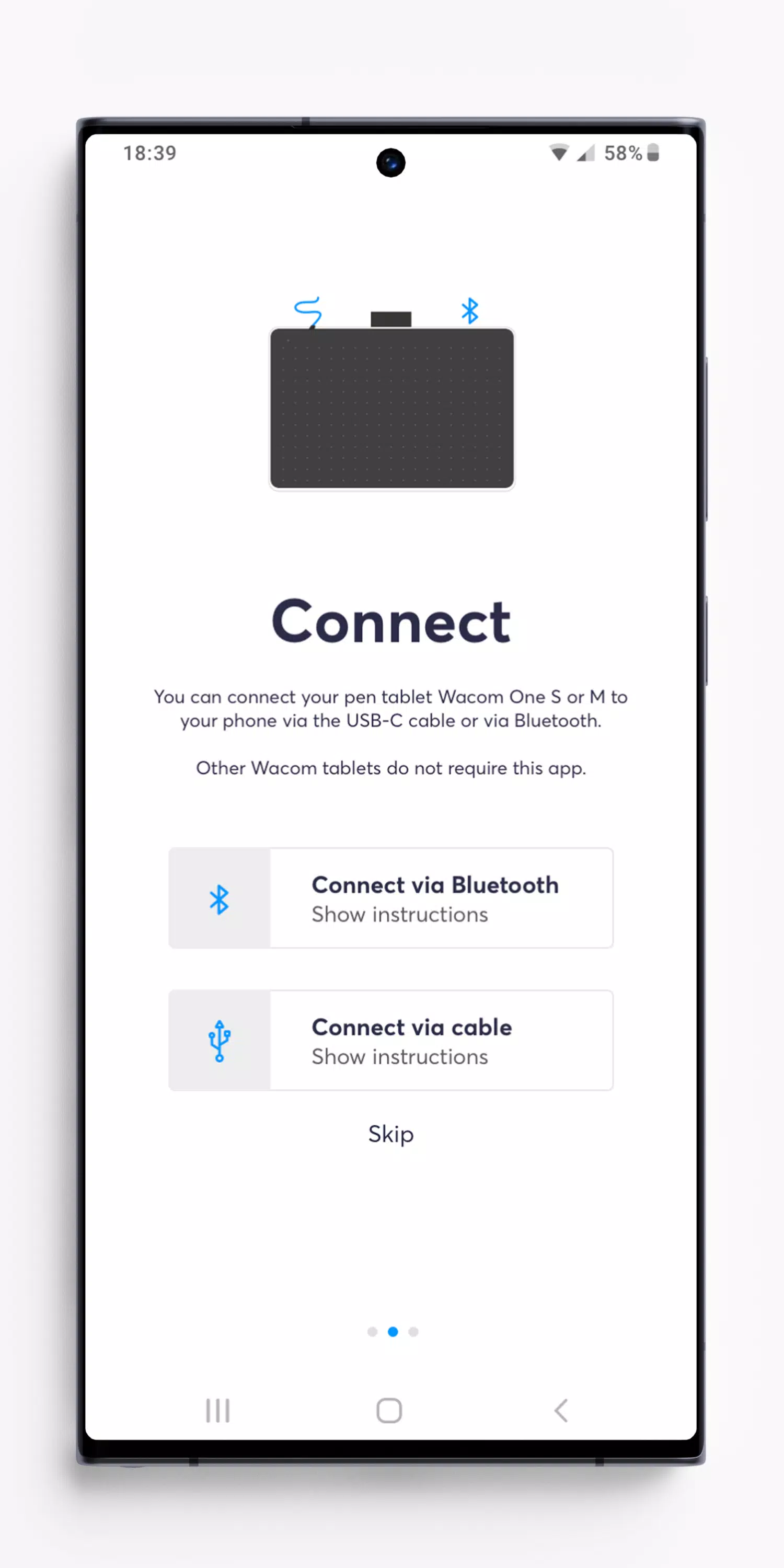
This app is not required on Android 14. Android 14 automatically ensures distortion-free drawing in all device orientations. To connect via Bluetooth, pair your pen tablet in the Android system settings. If you have installed Wacom Center on Android 14 or later, you may uninstall it.







![熊本のHairSalon YELLOW[ヘアサロンイエロー]](https://imgs.dgmma.com/uploads/78/173155007867355b7e469e0.webp)



















